How do I sell a PDF or digital download online?
Upload your file, put a price on it, and share the link. Your buyer pays through your own Stripe account, and the download lands in their inbox.
Before you start
You need two things: the file, finished and saved, and a Stripe account for the money to be paid into. You can open the Stripe account as you go. Your buyers pay you, not us. The money never passes through Jinty and we take no cut of a sale.
-
Start a new download
Open your link-in-bio page and press Add a link. On the screen that asks what you are adding, pick Sell or give away a download.
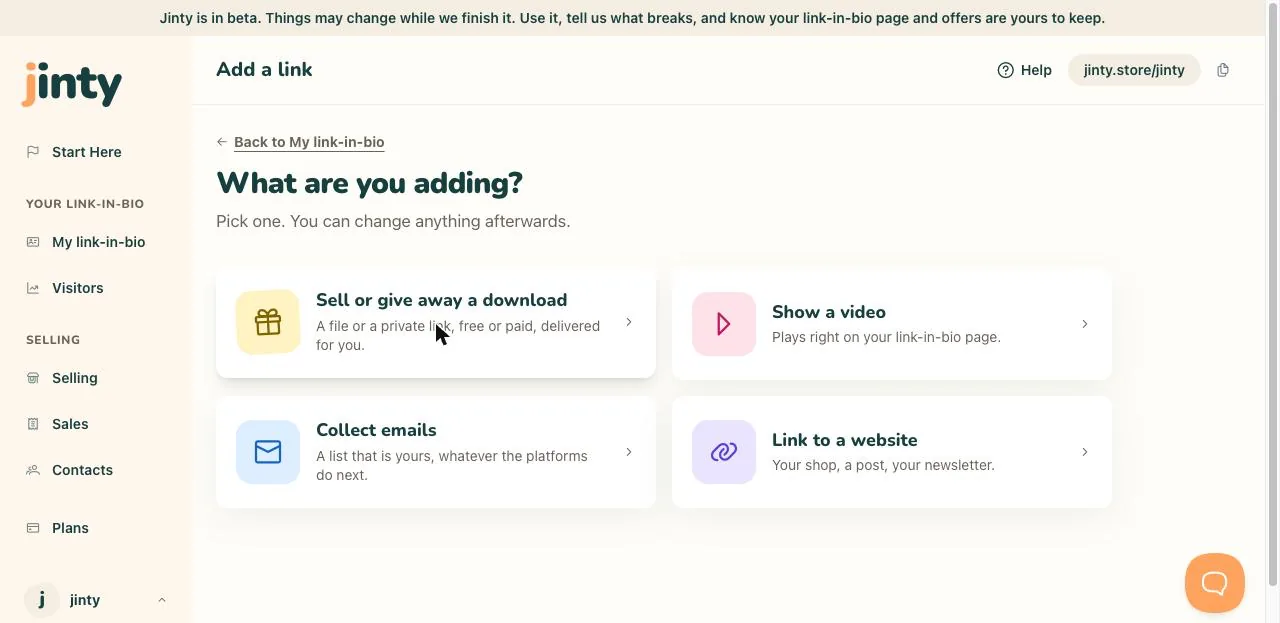
The Add a link screen, with Sell or give away a download picked. -
Say what you are selling
Give it a title, then write a short description: what is inside, and who it is for. A cover picture is optional, and you can add one later.
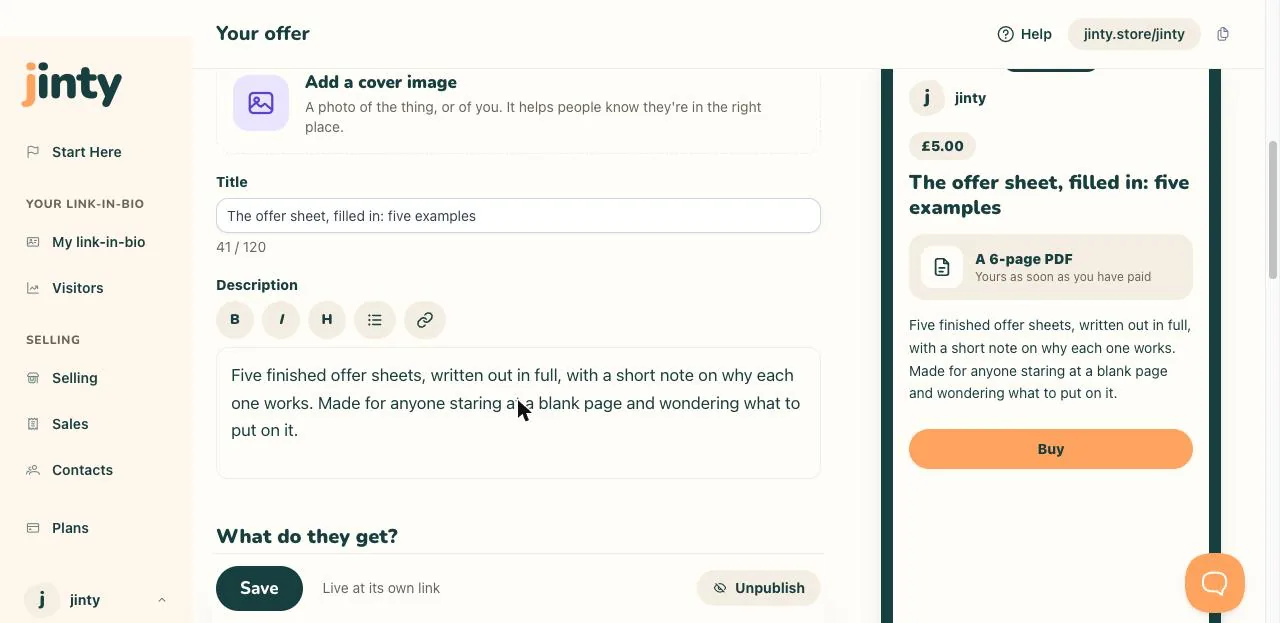
The editor, with a title and a description written in. -
Add your file
Choose A file and upload it. The screen tells you the largest file it takes. If your thing already lives somewhere, like a Google Drive folder or a private video, choose A link instead. Then say what they get in a few words, such as a 4 page PDF checklist.
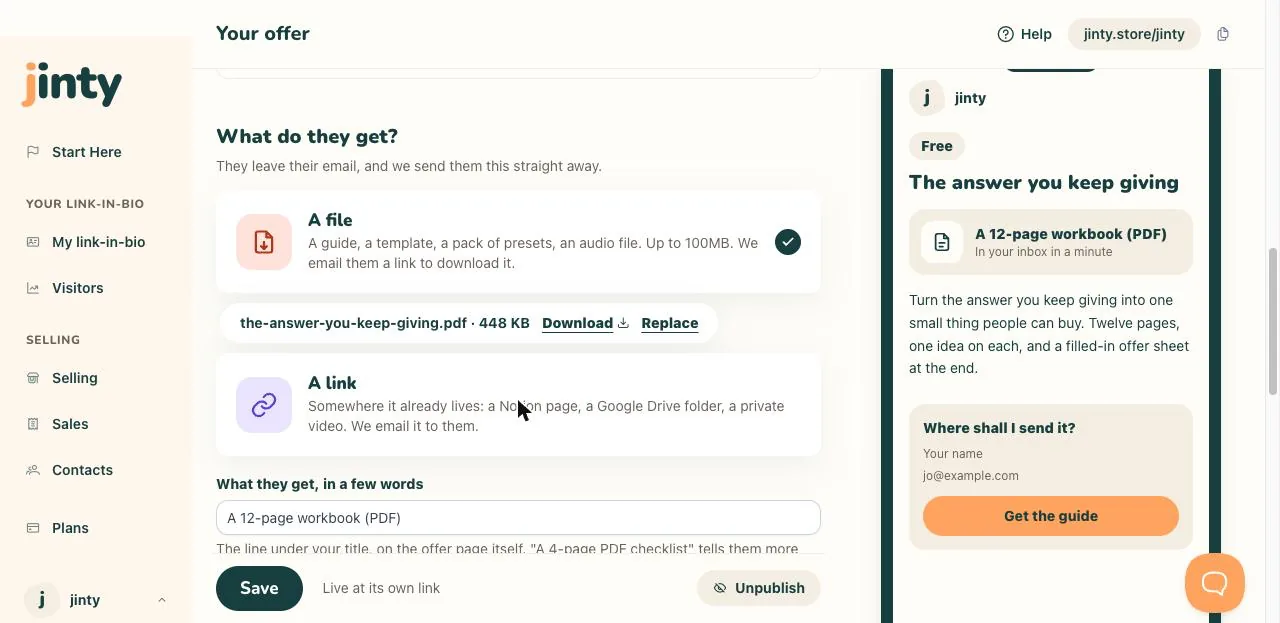
Choosing between a file and a link, with the file uploaded. -
Set your price
Choose A price, type the amount, and pick pounds, euros or dollars. Free works too: instead of paying, the person leaves their email address and the file is sent to them.
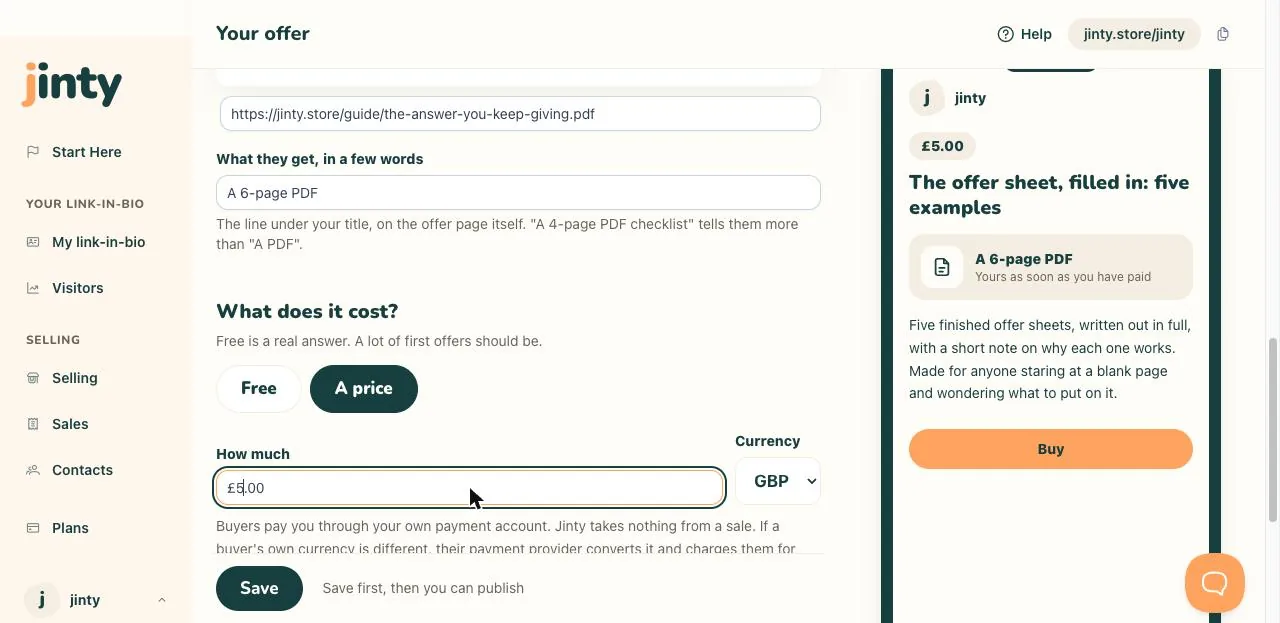
The price question, set to a price in pounds. -
Connect Stripe, so you can be paid
Go to Settings, then Payments, and press Connect. You sign in at Stripe and choose the account your money is paid into. We never see your Stripe login. You cannot publish anything with a price until this is done.
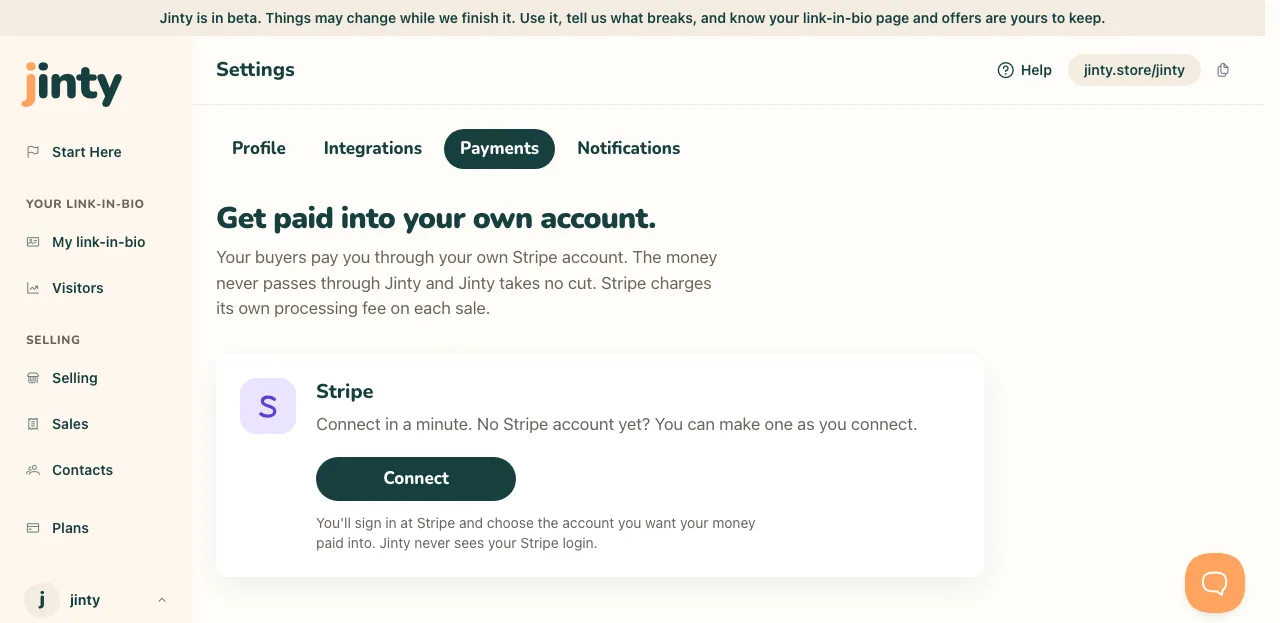
Settings, Payments, before an account is connected. -
Publish it, and share the link
Press Publish. It now has its own address, something like jinty.store/yourname/first-week, and you can send that to anyone. Your link-in-bio page needs to be published too, or the address will not open.
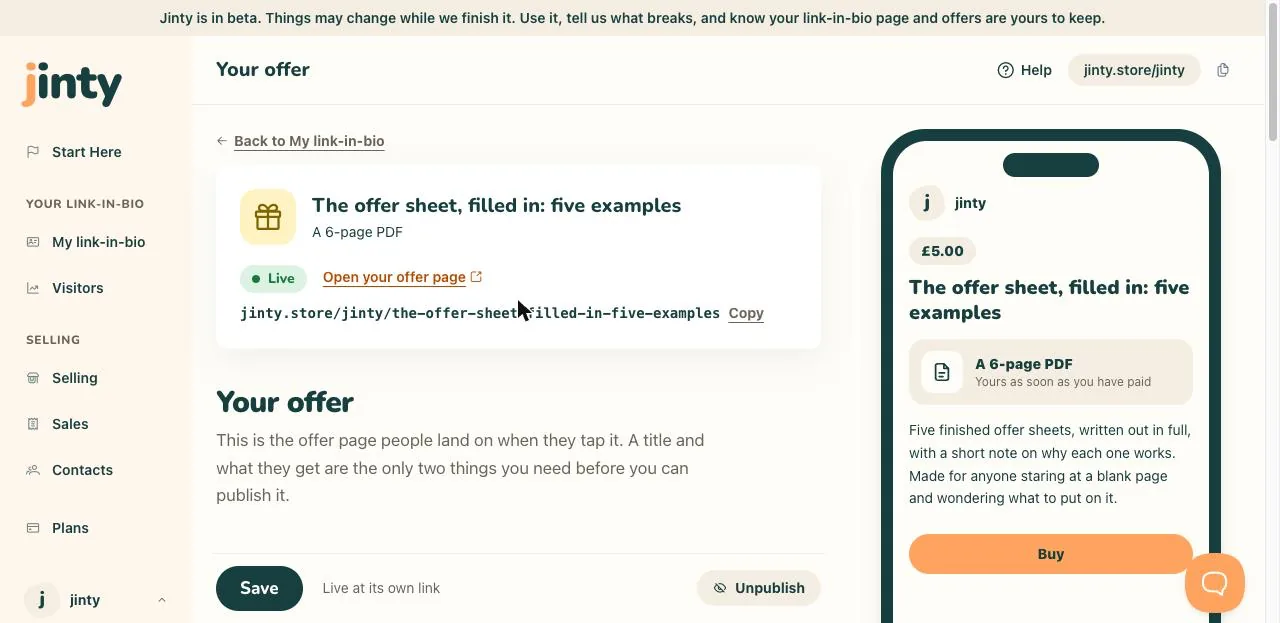
The Live strip, showing the address and the Copy button.
What happens when someone buys
They pay on Stripe's own checkout screen, then come back to a thank-you screen with the download on it. We email them a link to the same download as well, and both the screen and the email say the date that link stops working.
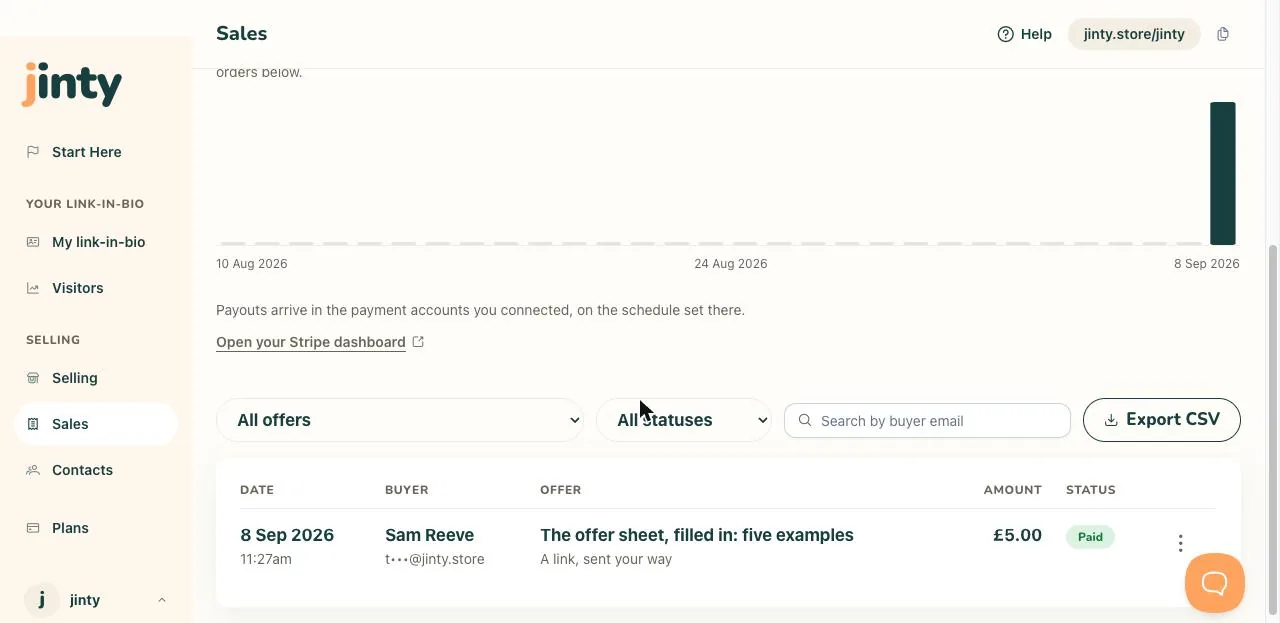
Every order turns up on Sales: what sold, what you were paid, and when. From there you can send someone their download again, or refund them. On the Free plan your first three sales cost you nothing. After that, anything with a price needs the Seller plan.
Related
Last updated 8 September 2026.
Anything this did not answer? Write to hello@jinty.store and a person will read it.
We only use cookies to keep you logged in and remember your preferences. Our audience stats set no cookie of their own. See our privacy policy.