How do I get paid when someone buys from me?
You connect your own Stripe account under Settings, Payments. The money goes to you.
Before you start
You need a Stripe account, and you can open one as you go. Your buyers pay you, not us. The money never passes through Jinty and we take no cut of a sale. Stripe charges its own processing fee on each one.
-
Open Settings, then Payments
Payments is the tab where you connect the account your money is paid into. It is never where you pay us. Until something is connected it says so plainly.
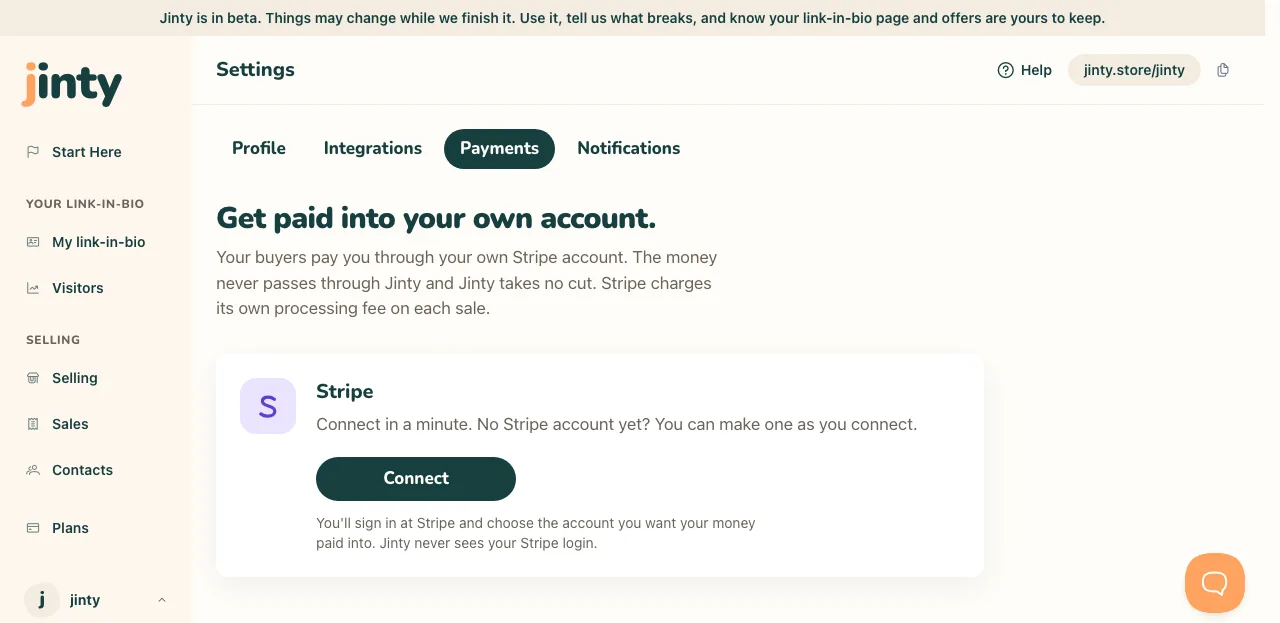
Settings, Payments, before an account is connected. -
Press Connect
You are taken to Stripe to sign in, or to open an account if you do not have one. There you choose the account you want your money paid into. Jinty never sees your Stripe login.
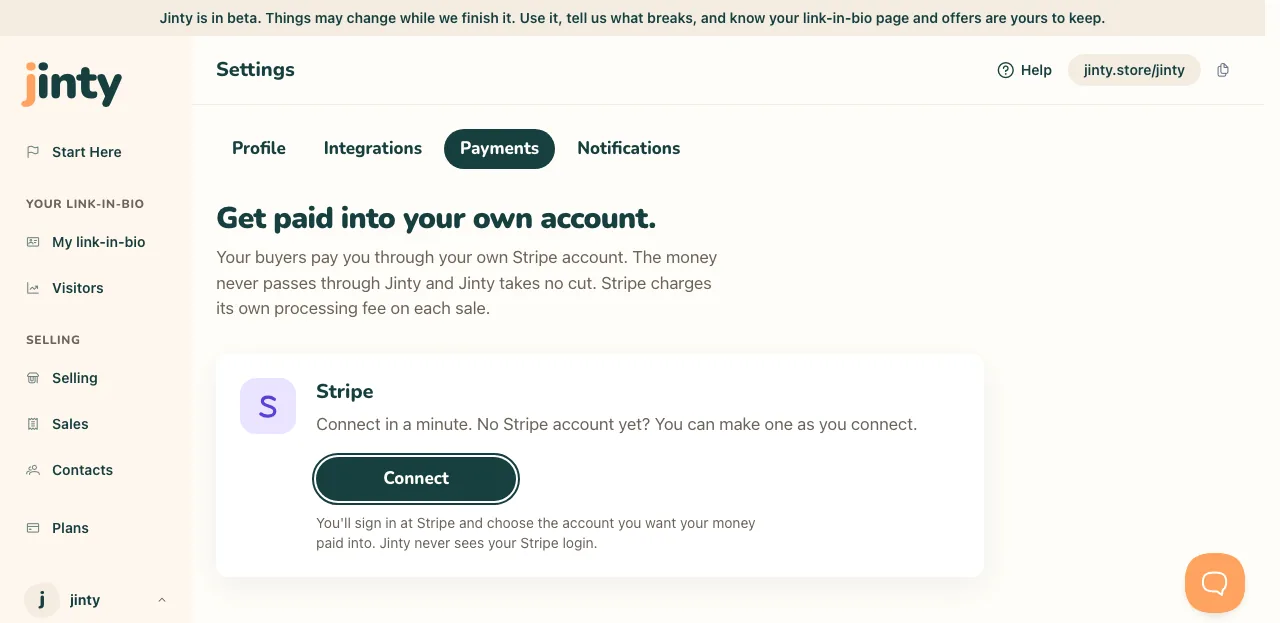
The Connect button with the line explaining what pressing it does. -
Finish anything Stripe asks for
Stripe often wants a few more details before it will take a card, and it will say so. If it is still checking, the screen tells you that too, and payments switch on by themselves when it is done.
-
Check it says Connected
When it is ready you get a green Connected chip, your account named, and the currency you are paid in. There is a link straight to your Stripe dashboard from here.
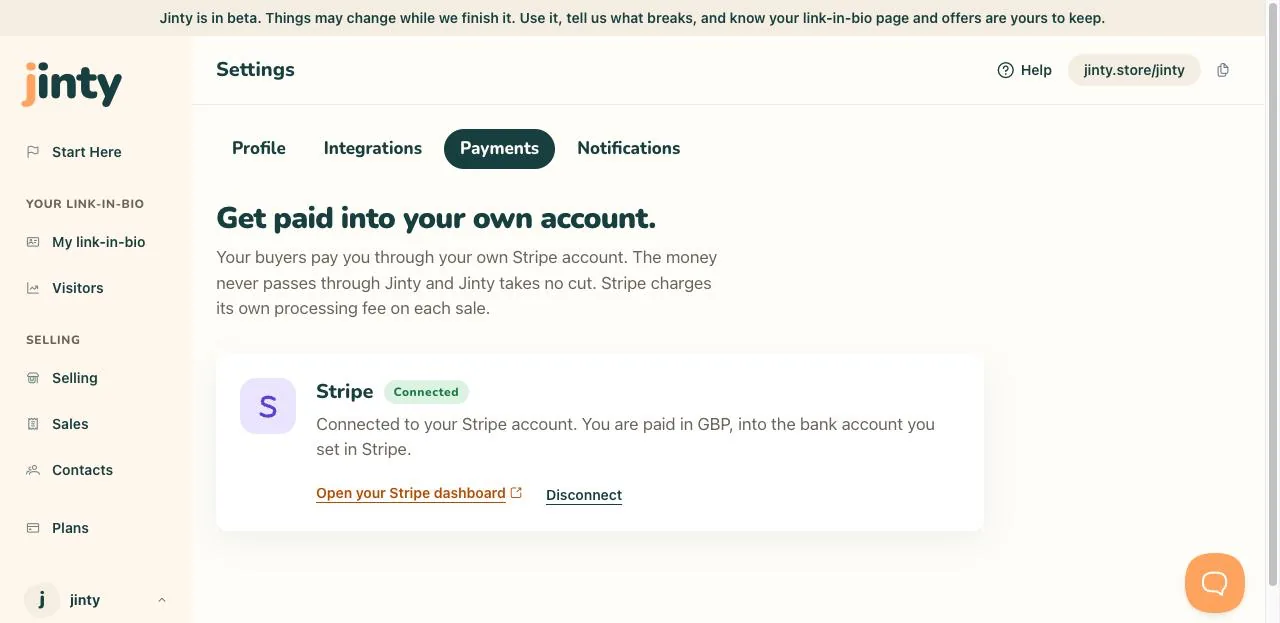
The Payments card, connected, with the chip and the account name. -
Publish anything with a price
Until this is done, nothing with a price can be published. Once it is, the Publish button on a priced download does what you expect.
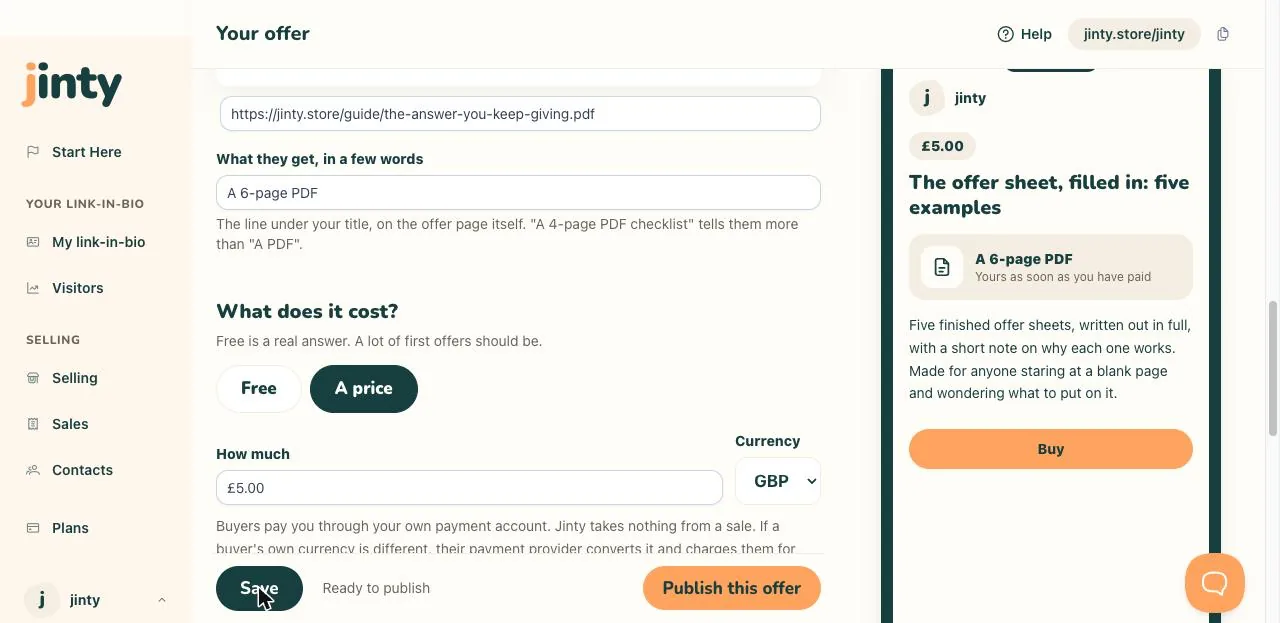
The download editor, with Publish and no warning line under it. -
Getting your money
Payouts arrive in the bank account you set at Stripe, on the schedule set there. Jinty does not hold it, delay it or take a share of it. If the connection is ever lost we email you, payments stop, and anything priced is unpublished so nobody meets a buy button that cannot work.
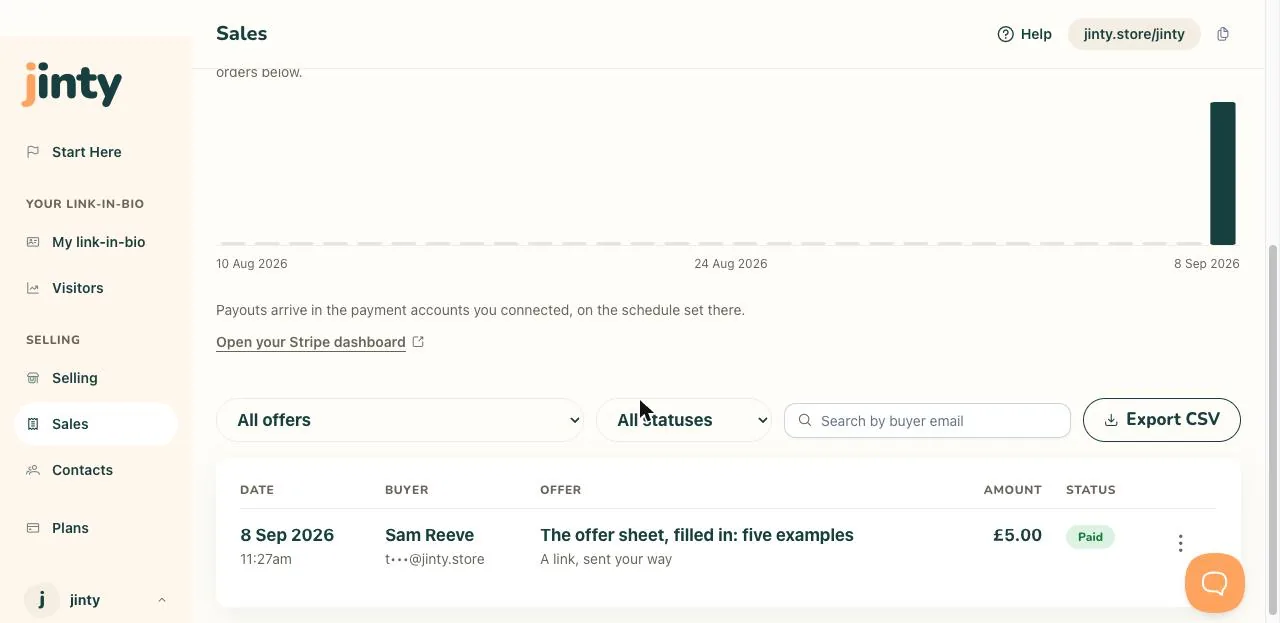
The payouts line on Sales, with the link to the Stripe dashboard.
Related
Last updated 8 September 2026.
Anything this did not answer? Write to hello@jinty.store and a person will read it.
We only use cookies to keep you logged in and remember your preferences. Our audience stats set no cookie of their own. See our privacy policy.