What is a link-in-bio page, and how do I set mine up?
One address to put in your bio, holding your links, your social accounts and anything you sell.
-
Open My link-in-bio
This is the one screen where your link-in-bio page is built. Everything a visitor sees is here, and a phone preview beside it shows exactly what they will get. On a narrow screen the preview is behind a Preview button instead.
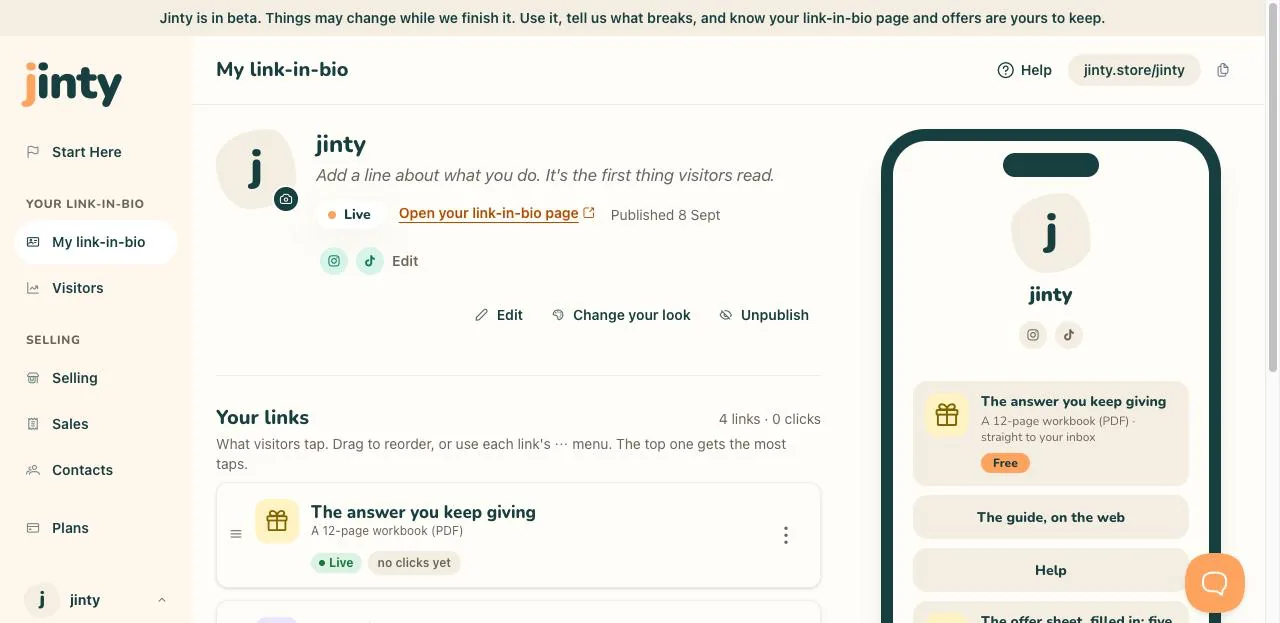
My link-in-bio, with the phone preview beside it. -
Set your name and picture
Press Edit at the top. Your name is the first thing a visitor reads, and the picture sits above it. If you would rather not upload a photo, a sticker or your initial does the job.
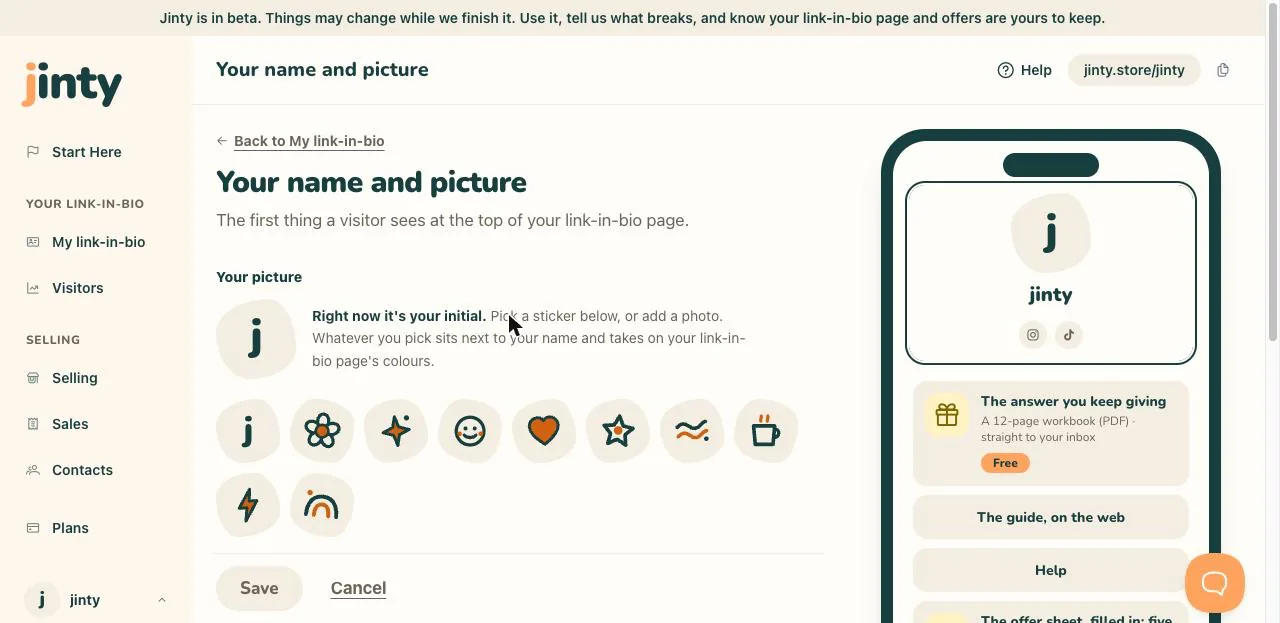
The name and picture screen, with the preview updating. -
Write a line about what you do
Underneath your name there is room for one line. It is the second thing anybody reads, so say who you help and with what. Plain words beat clever ones here.
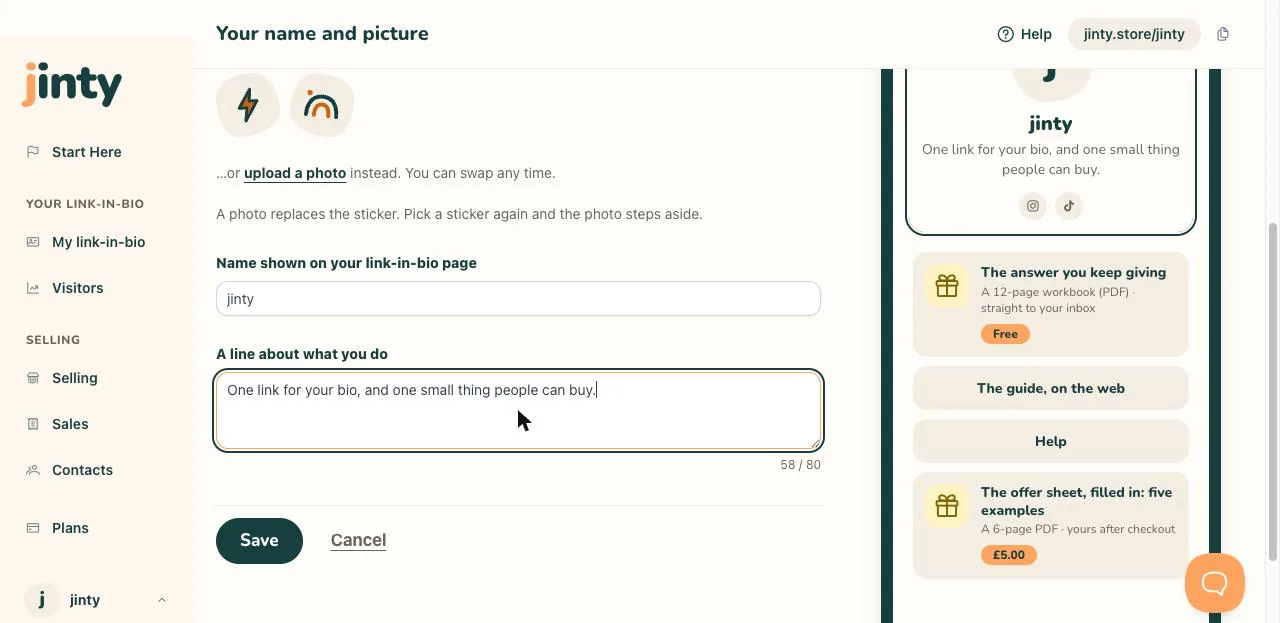
The same screen, with a line about what you do written in. -
Add where else to find you
The row of small icons under your name is your social profiles. Press it, or press Add a social profile, and paste in the accounts you want people to find.
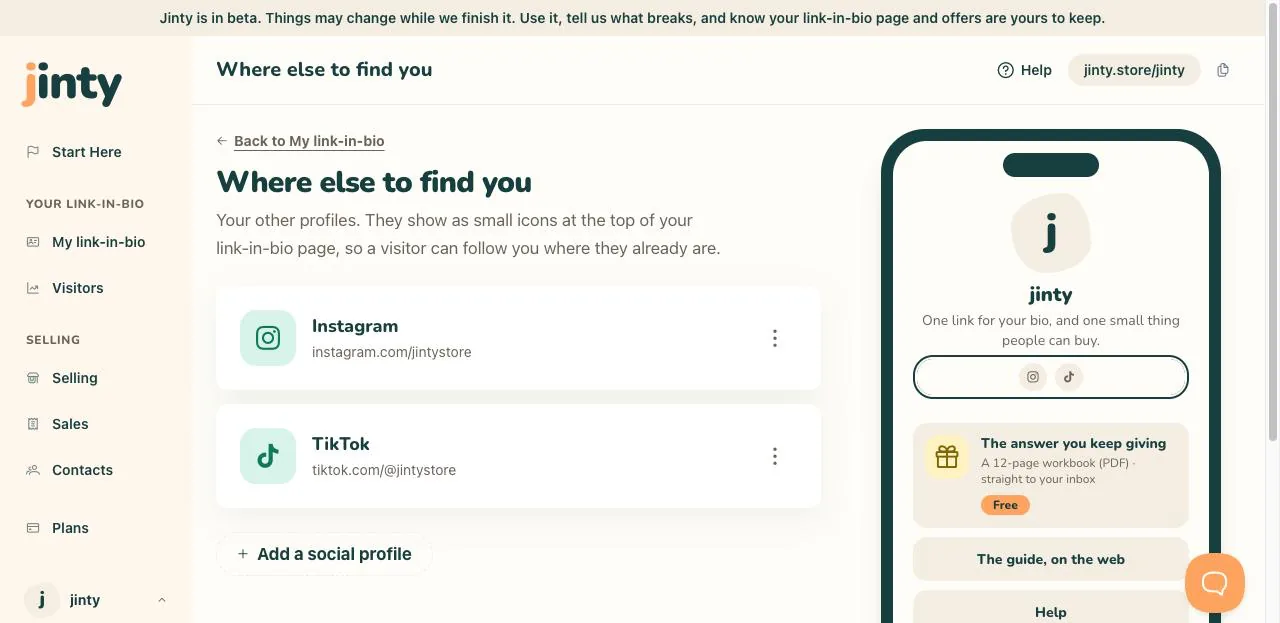
The social profiles screen, with two accounts added. -
Choose your look
Change your look shows you the themes, each one drawn with your own name and your own links, so you are choosing by looking at your link-in-bio page rather than at a colour swatch. Nothing changes for your visitors until you save.
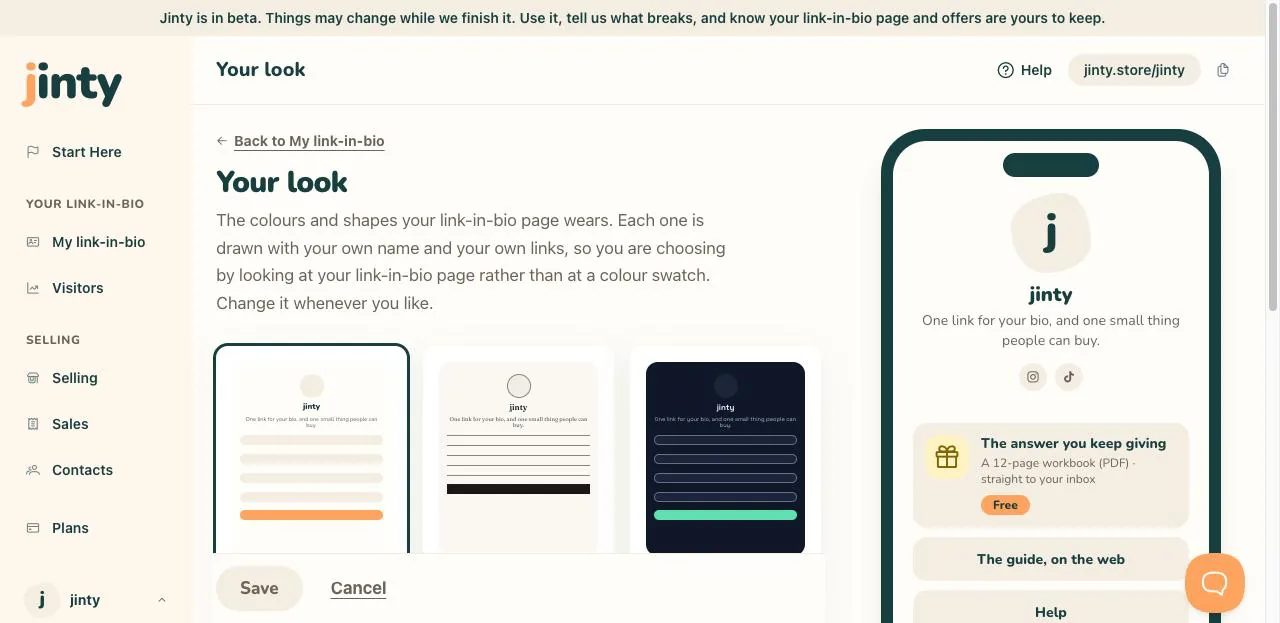
The look screen, with the themes and the dark frame on the current one. -
Publish it
Publish makes your link-in-bio page live at your address. Before that it says Draft, and only you can see it. Once it is live you get a link straight to it, so you can check it the way a visitor would.
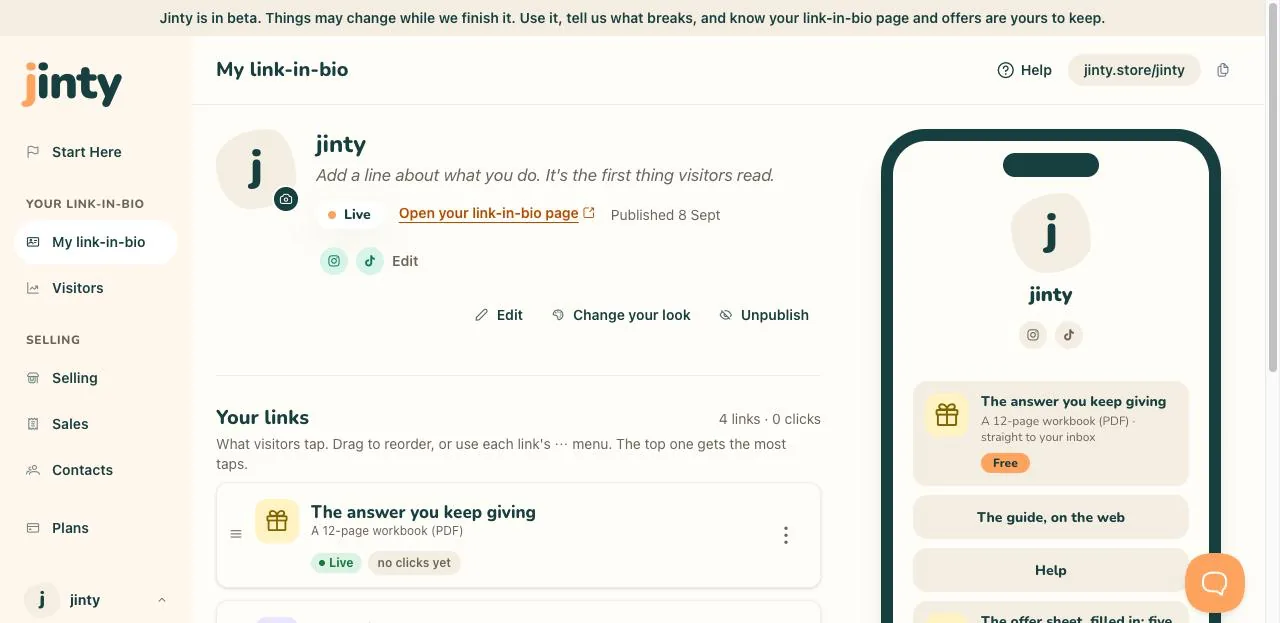
The top of My link-in-bio showing the Live chip and the address.
Related
Last updated 8 September 2026.
Anything this did not answer? Write to hello@jinty.store and a person will read it.
We only use cookies to keep you logged in and remember your preferences. Our audience stats set no cookie of their own. See our privacy policy.