What do I do first on Jinty?
Claim your username, add your first link, and publish your link-in-bio page.
-
Claim your username
Sign up and type the username you want. Your link will be jinty.store/yourname, and a tick appears next to the box when that name is free. Some words are kept back for our own addresses, so if yours will not take, try another.
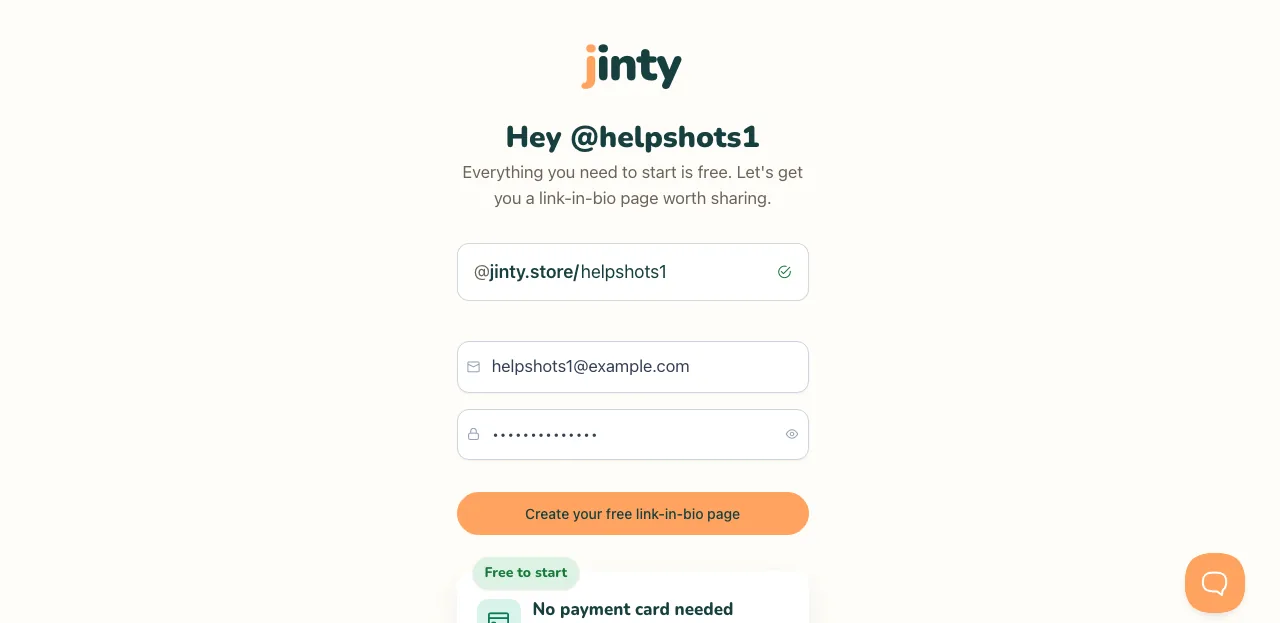
The sign-up screen, with a username typed and the available tick showing. -
Verify your email
We email you a link the moment you sign up. Clicking it is what lets you publish, so it is worth doing first. You can carry on building while you wait for it.
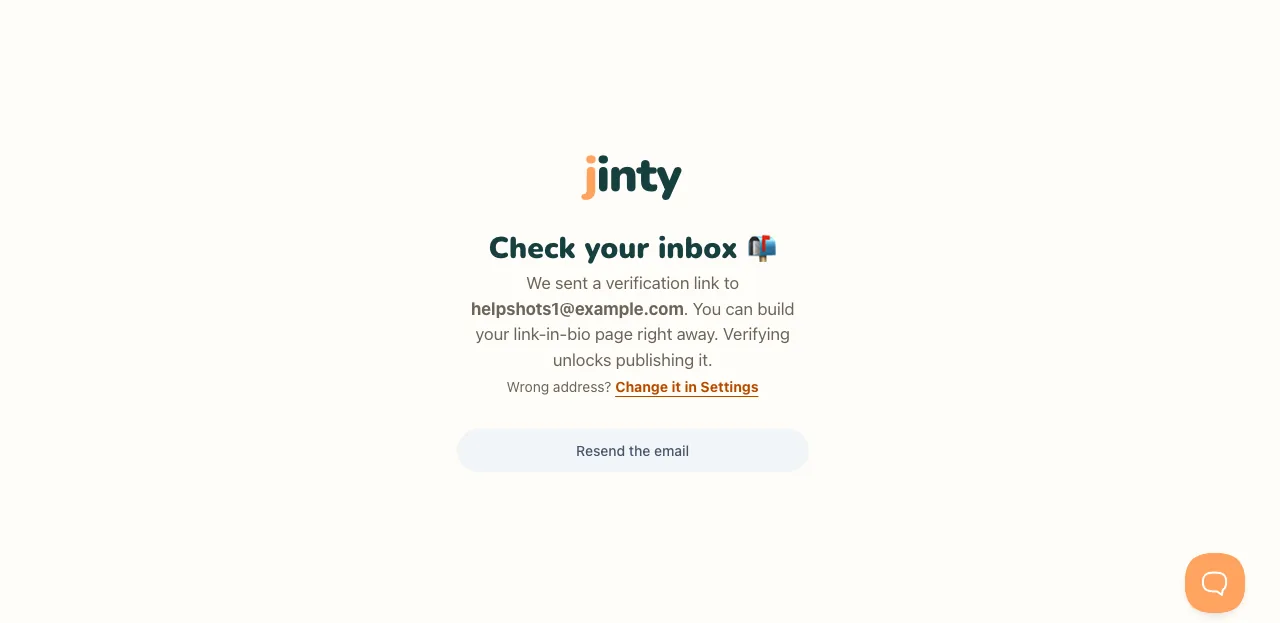
The verify-your-email screen, with the address we sent the link to. -
Add your name and picture
Start Here is the screen you land on, and step one is your name and picture. The name is what visitors read at the top of your link-in-bio page. A picture is optional: a photo, a sticker or just your initial.
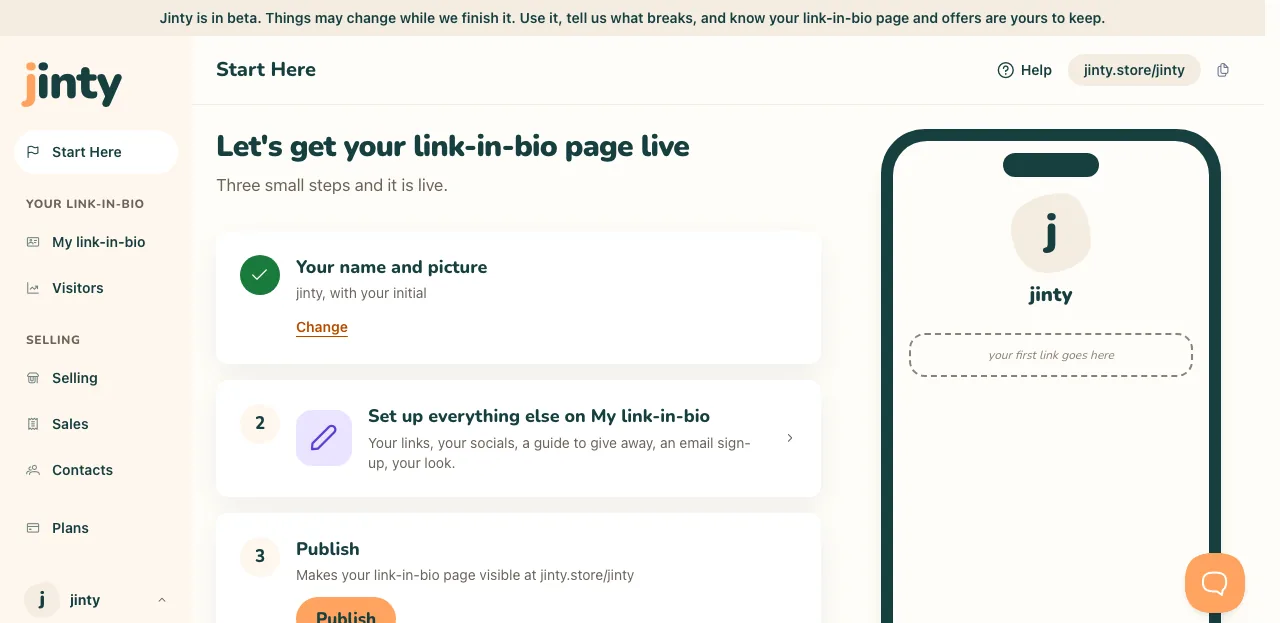
Start Here, step one, with a name filled in. -
Add your first link
Step two takes you to My link-in-bio, where your links live. Start with the thing people already ask you about. You can add more, change them and reorder them whenever you like.
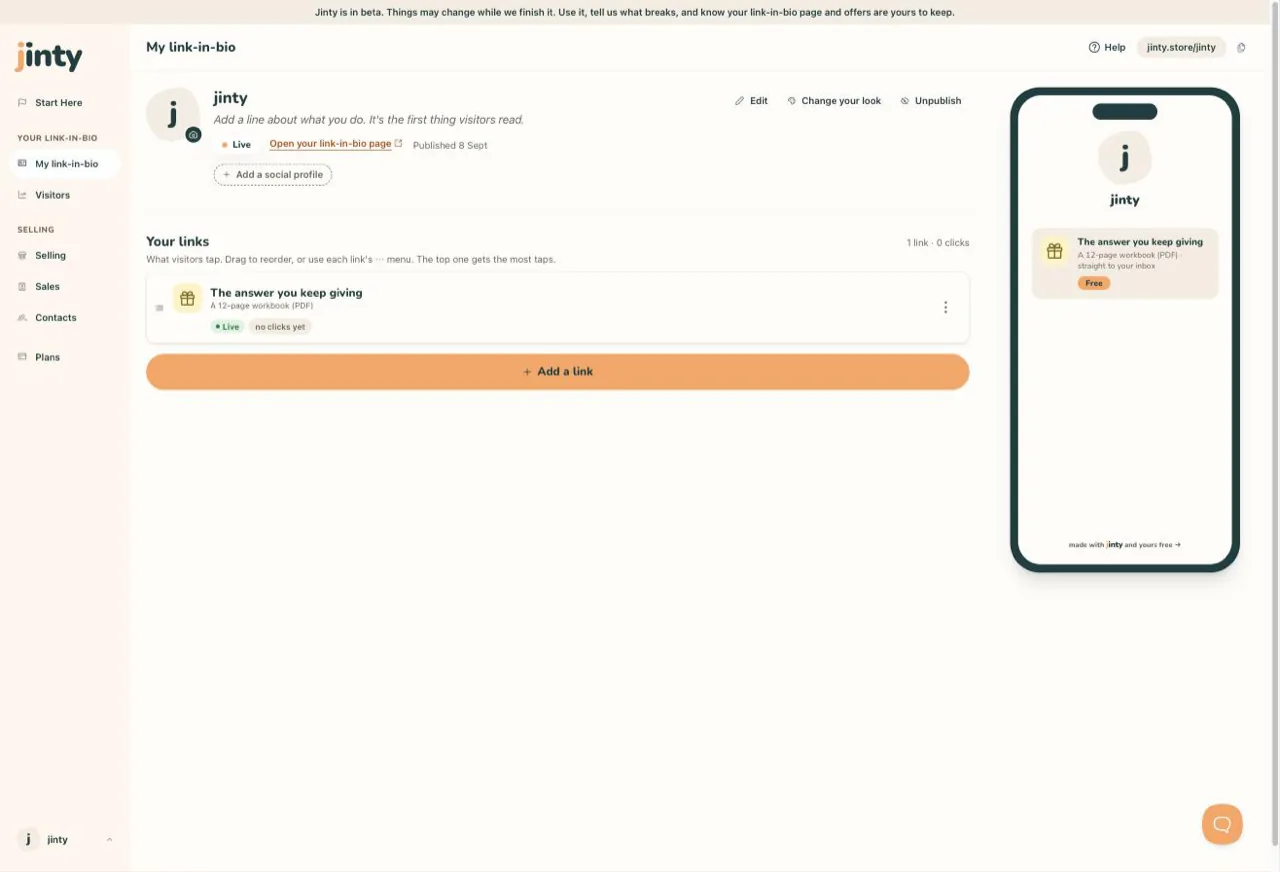
My link-in-bio, with one link on the list. -
Publish
Step three is one button. Publishing is what makes your link-in-bio page visible at your address; until you press it, only you can see what you have made. Nothing is final, and you can unpublish again at any time.
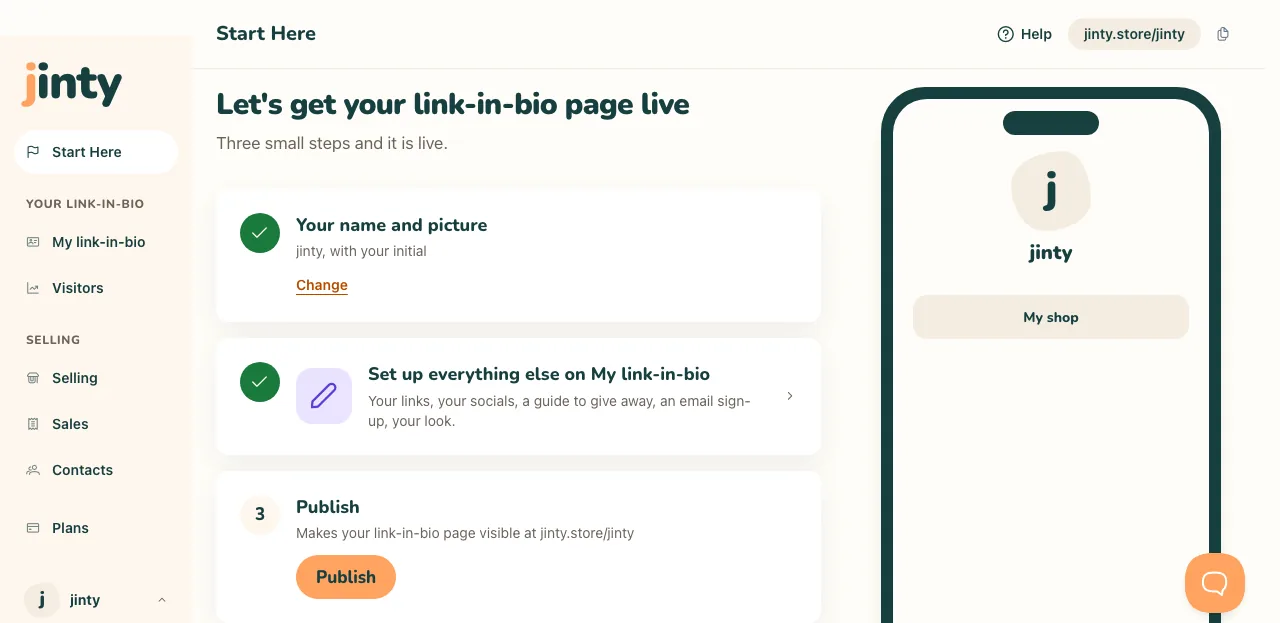
Start Here, step three, with the Publish button. -
Copy your link and put it in your bio
Once you are live, Start Here shows your address and a Copy your link button. Paste it into your TikTok or Instagram bio so people can find you. From then on your visits, link taps and contacts are counted for you.
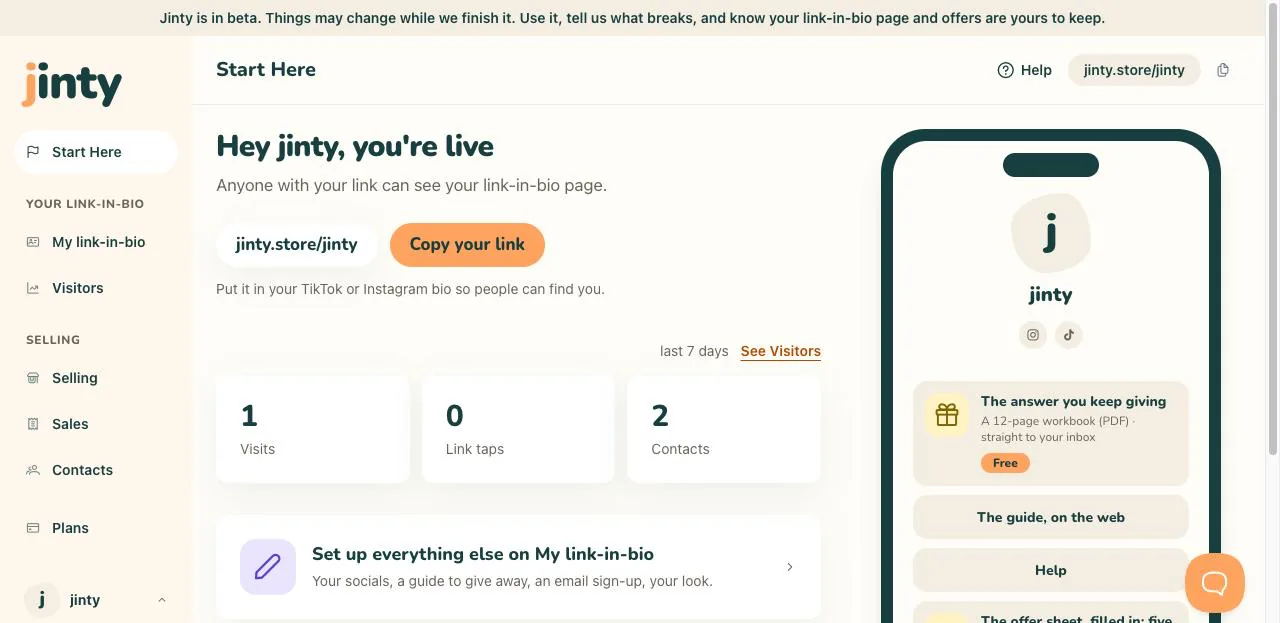
The live version of Start Here, with the address and Copy your link.
Related
Last updated 8 September 2026.
Anything this did not answer? Write to hello@jinty.store and a person will read it.
We only use cookies to keep you logged in and remember your preferences. Our audience stats set no cookie of their own. See our privacy policy.