How do I connect Kit to Jinty?
Paste one key, choose a form, and everyone who says yes is added to it, with where they came from and when they agreed.
Before you start
You need a Kit account and one API key from it. Kit used to be called ConvertKit, so older guides you find may still use that name. The Kit screens described here are as they were on 9 September 2026.
-
Get your key from Kit
Sign in to Kit, open Settings, then Developer. That screen holds more than one kind of key. Jinty needs a V4 key: find the V4 Keys section, press Add a new key, give it an internal name, and copy the key. Kit shows it once and you will not see it again after you leave that screen, so save it before you do.
-
In Jinty, open Settings, then Integrations
Integrations is where you connect the email tool you already use. Press Connect on the Kit card.
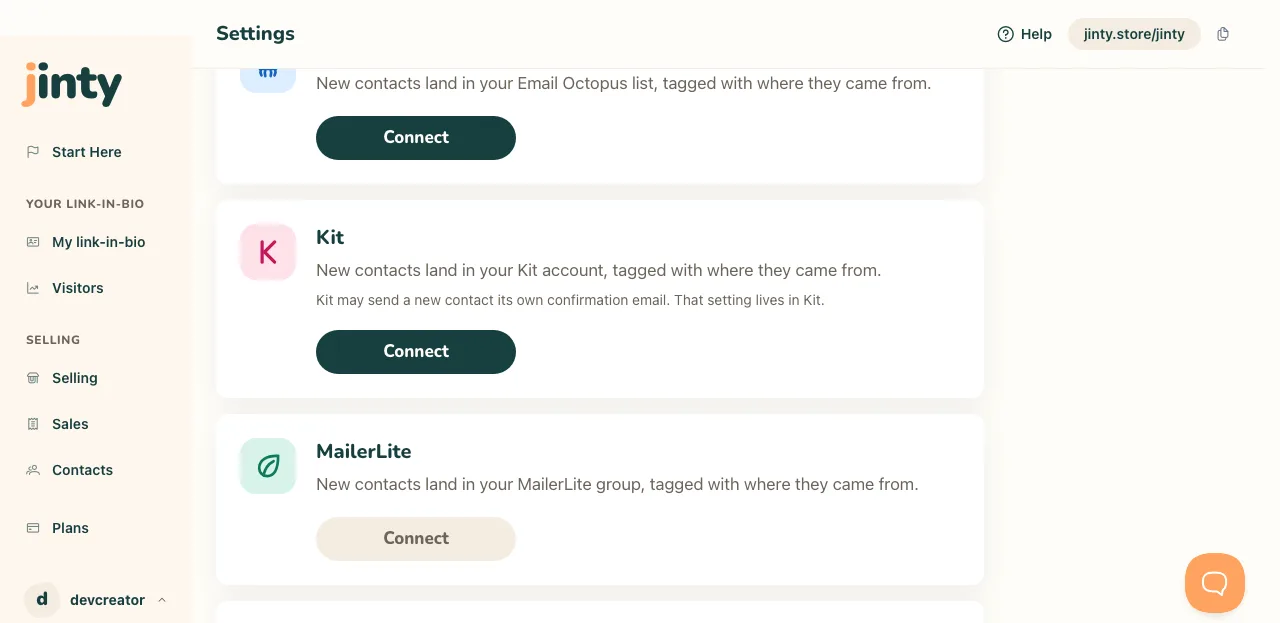
The Kit card on Settings, Integrations, before anything is connected. -
Paste the key and check it
Paste the key into the field and press Check this key. Jinty asks Kit whether it works and names the account it belongs to, so you can see you have pasted the right one. Nothing is saved until the key works.
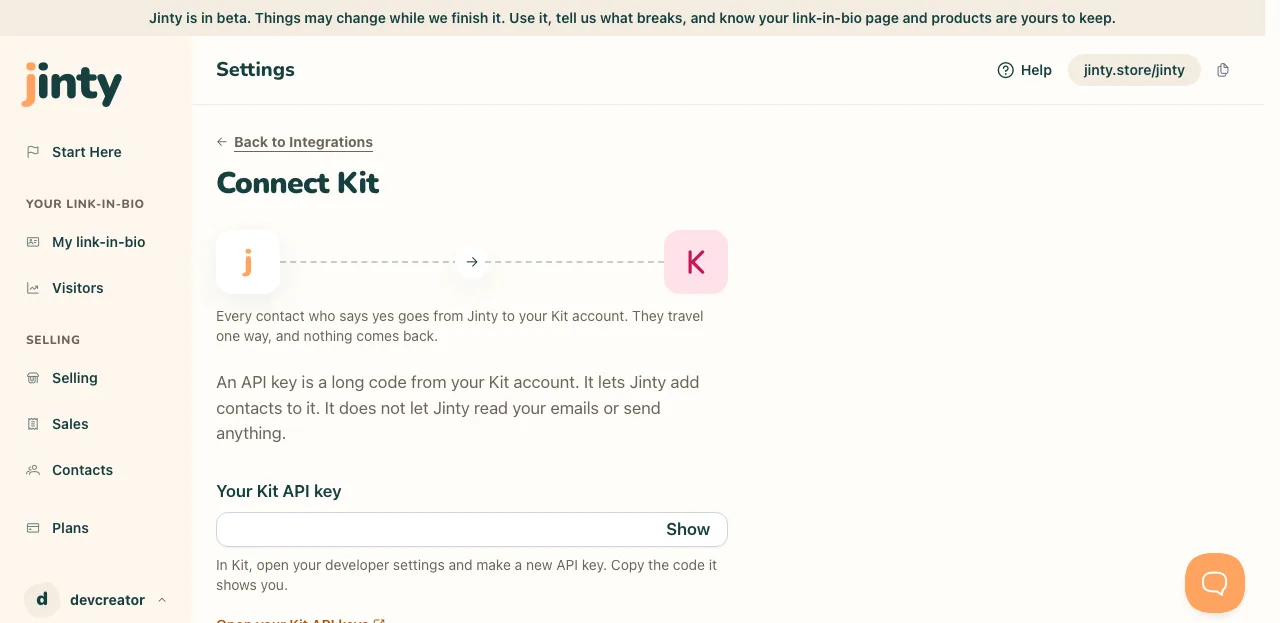
The Connect Kit screen, with the key field and Check this key. -
Press Connect
When the key works, press Connect Kit. There is nothing else to choose here. Kit and Email Octopus are separate connections, and you can hold both at once.
-
Kit has forms where other tools have lists
Open your email box on your link-in-bio page, or any product, and look for Where do these go? Choose Kit, and the second question says Form rather than List, because a form is what Kit sorts subscribers into. Pick one of your active forms. Somebody who says yes is added to your Kit account and then to that form. If a form is archived or deleted in Kit, the picker tells you the next time you open that editor and asks you to choose another.
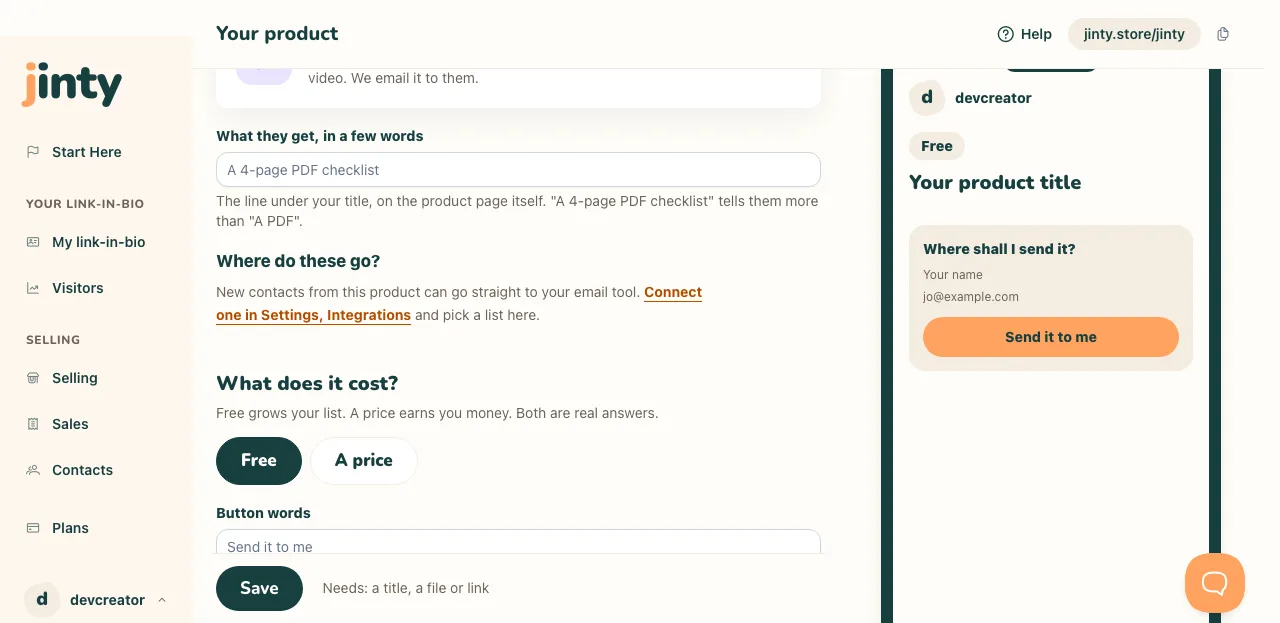
Where do these go? in a product editor, as it reads before any email tool is connected. -
Kit may send its own confirmation email
Kit can send a new subscriber its own email before they count as confirmed. Kit calls it the confirmation email, and older guides call it the incentive email. Whether it goes at all, and what it says, is set on the form itself in Kit, under Settings, then the Confirmation Email tab. That setting lives in Kit, not in Jinty, so it is worth looking at the form you picked before you send anyone to it.
-
What Jinty writes in your Kit account
When you connect, Jinty makes three custom fields on your account: Jinty source, Jinty consent date and Jinty consent reference. They belong to the account rather than to one form, so they are made once and every form you pick can use them. Every contact carries where they came from, the day they said yes, and the wording they agreed to.
Jinty also makes five tags at the same moment: jinty, jinty-signup, jinty-claim, jinty-purchase and jinty-added. A contact arrives tagged jinty plus one of jinty-signup, jinty-claim or jinty-purchase, so you can tell somebody who used your email box from somebody who claimed a free product from somebody who bought one. The jinty-added tag stays empty: contacts you add by hand in Jinty are yours alone and are never sent. Apart from contacts, those fields and those tags are the only things Jinty writes there.
-
Your list here and your list there are two lists
Only the people who say yes are sent, and they travel one way. Jinty never reads your Kit account back. So somebody who unsubscribes in Kit still shows in Contacts here, and somebody you delete here is still in Kit.
-
If the key stops working
Keys get deleted and replaced, and when yours stops being accepted the Kit card says so and we email you once. Contacts who say yes meanwhile stay in Contacts here and are not added to Kit, and they are not sent across later. Make a fresh key, paste it on the same screen, and new contacts go across again.
Related
Last updated 9 September 2026.
Anything this did not answer? Write to hello@jinty.store and a person will read it.
We only use cookies to keep you logged in and remember your preferences. Our audience stats set no cookie of their own. See our privacy policy.